Google has unveiled its biggest Google Maps update in more than a decade, introducing powerful new features powered by its Gemini AI models. Announced on March 12, 2026, the upgrade transforms how people explore places and navigate routes by allowing users to chat with Google Maps while driving, ask questions in real time, and receive intelligent, context-aware recommendations. The update signals a major shift towards AI-driven navigation and discovery, making Maps more conversational and personalised than ever before.
The viral reaction started with a simple shock: “woww.. google map now powered by gemini you can ask anything while driving.” And it’s true. You can now have natural conversations with Maps, get smart recommendations, and see your route in stunning 3D; all without taking your eyes off the road (safely, of course).
Here’s everything you need to know, broken down simply and clearly.
Read Previous Tech News: Why Tech Product Reveals Have Lost Their Magic
1. Ask Google Maps: Chat With Your Map Like a Smart Friend
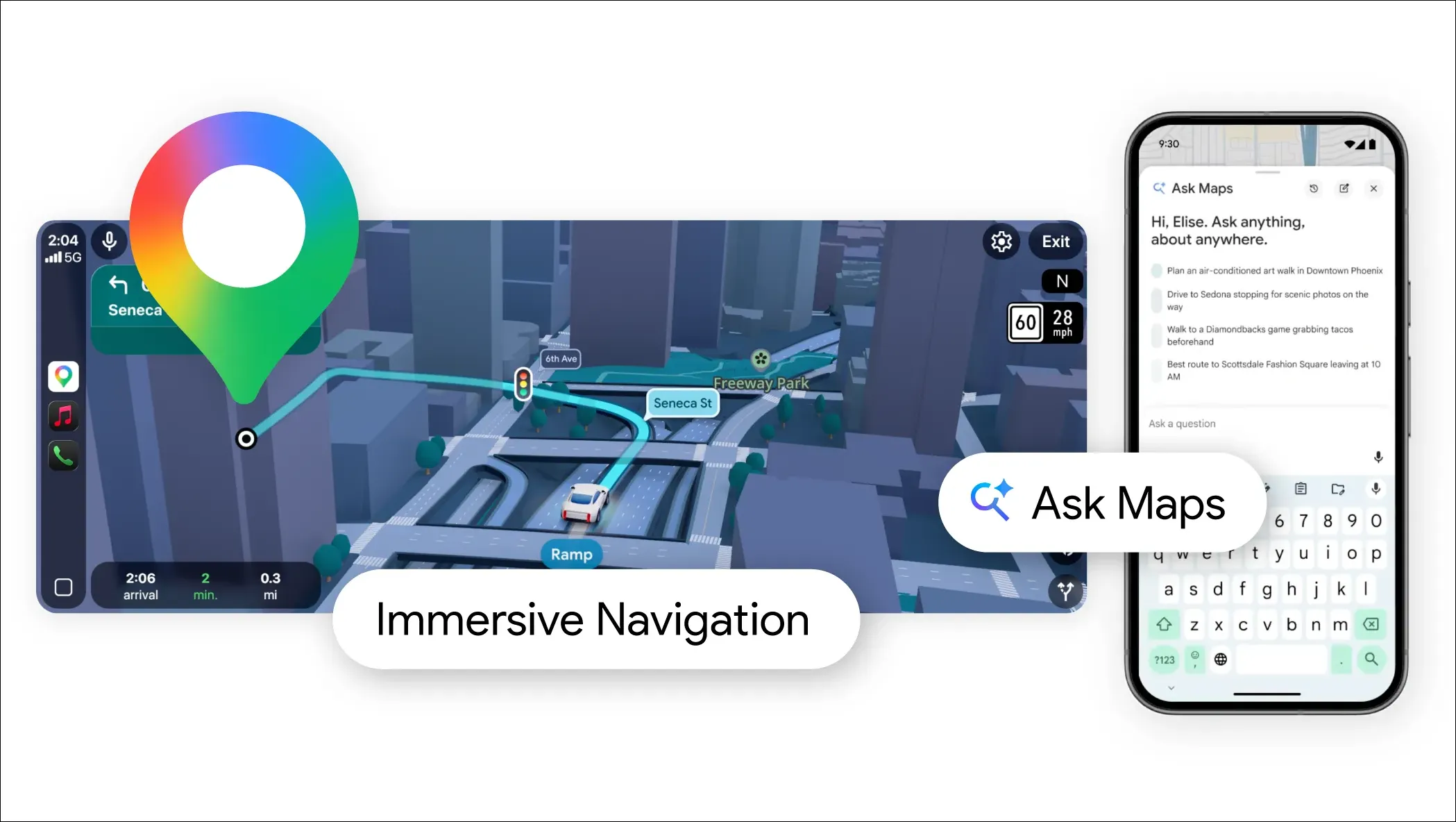
This is the star feature. Instead of typing searches or scrolling through reviews, you just talk to Maps (or type) and get instant, personalized answers overlaid on your map.
How it works
- Powered by Gemini’s advanced understanding of the real world.
- It pulls in live data, user reviews, and community tips.
- Turns your vague ideas into a custom plan with one tap.
Real examples you can try right away (once it rolls out to you):
- “My phone is dying, where can I charge it without waiting in a long coffee line?”
- “Is there a public tennis court with lights on tonight near me?”
- “I’m driving to the Grand Canyon, Horseshoe Bend, and Coral Dunes suggest cool stops along the way.”
- “Find a quiet coffee shop near my hotel that’s open now with good Wi-Fi.”
- “Best free parking near the stadium for tonight’s game?”
Interactive: Test These Prompts Yourself
Copy any of these and try them in the new “Ask Maps” button (rolling out now):
- “Plan a 2-hour scenic drive from my location with picnic spots.”
- “Where’s the nearest EV charger that’s actually working right now?”
- “Show me dog-friendly hiking trails under 5 miles that are open today.”
- “Cheapest gas stations on my route to [your destination] that are open late.”
- “Recommend a family restaurant nearby with good reviews and quick service.”
This feature starts rolling out today in the United States and India on Android and iOS apps. Desktop version coming soon.
2. Immersive Navigation: Driving Feels Like a Video Game (in a Good Way)
Your regular navigation just got a huge visual and smart upgrade.
What’s new
- Vivid 3D views of buildings, overpasses, hills, and terrain (thanks to Gemini).
- See farther ahead on your route so you’re never surprised.
- Clear tradeoffs for alternate routes (e.g., “This way saves 10 minutes but has tolls”).
- Helpful details automatically shown: parking spots, exact building entrances, Street View previews.
- Natural, calm voice guidance.
Interactive Scenario: Imagine Your Next Drive
You’re heading to a new city for the weekend.
- Maps shows a beautiful 3D preview of the highway ahead.
- It warns you about construction 2 miles out.
- It suggests pulling over at a viewpoint 15 minutes away because it knows you love photos.
- You tap “Ask Maps” and say: “Add the best sunset spot near my hotel.” Done.
This feature launches today in the U.S. and will expand over the coming months to CarPlay, Android Auto, and cars with built-in Google.
Why This Matters – It’s Actually Huge
- For drivers: Fewer tabs, fewer wrong turns, less stress. Maps becomes your co-pilot that actually understands real-life needs.
- For businesses: Local shops and services now compete on AI answers instead of just Google search rankings. (If your coffee shop isn’t the best match for “quiet spot with Wi-Fi,” you might lose customers.)
- For everyone: This is Google embedding powerful AI directly into one of the most-used apps on the planet (over a billion users). It’s the start of truly conversational navigation.
How to Get It Right Now
- Update your Google Maps app on Android or iOS.
- Look for the new “Ask Maps” button (it appears in the search bar or navigation screen).
- Start chatting, voice or text works.
(Desktop users: Keep an eye on the web version in the next few weeks.)
Google is calling this the new era of Maps: from simple directions to an intelligent explorer that thinks with you.
What would you ask Maps first on your next drive? Drop your craziest or most useful prompt in the comments the wilder the better!
This upgrade proves one thing: the map in your pocket just became a whole lot smarter.
Read the previous Tech Contents in this blog: Tech Updates